Gather the machine, pot, Coffee and a cup
You need a Coffee Machine, its Coffee Pot and a bag labelled Coffee to brew. Add an empty cup if you want to serve it rather than keep it in the pot. Put the machine where you can reach both the top lid and the red switch on its front.
The demonstrated kitchen is inside an RV. It identifies the objects and how they work together, not a guaranteed shelf, building or map coordinate where they spawn. If a piece is missing, keep searching while using your normal food and water supplies.
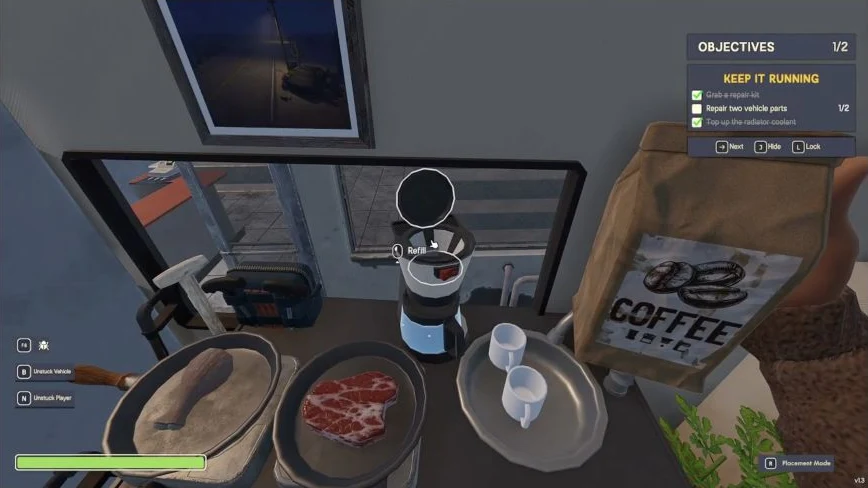
Open the lid and refill with the Coffee bag
The refill target is the machine’s open top, not the Coffee Pot. A pot underneath the machine does not replace this ingredient step. Close the lid before the brewing sequence shown below.
- Open the round lid on top of the Coffee Machine.
- Hold the bag labelled Coffee and aim into the open top until Refill appears.
- Use Refill and check that the coffee grounds are present before putting the bag down.
Use an empty pot, then press the red switch
Do not fill the pot with water for this Demo v1.3 sequence. The player first tries a water-filled pot, then empties that water back into a Water Jug before successfully brewing. Read the pot’s liquid panel instead of assuming that any transparent container is empty.
If your pot contains water, hold the pot, aim at a compatible water container with spare capacity and use Transfer to empty it. The demonstrated receiving container is a Water Jug. Check that the pot is empty before returning to the machine.
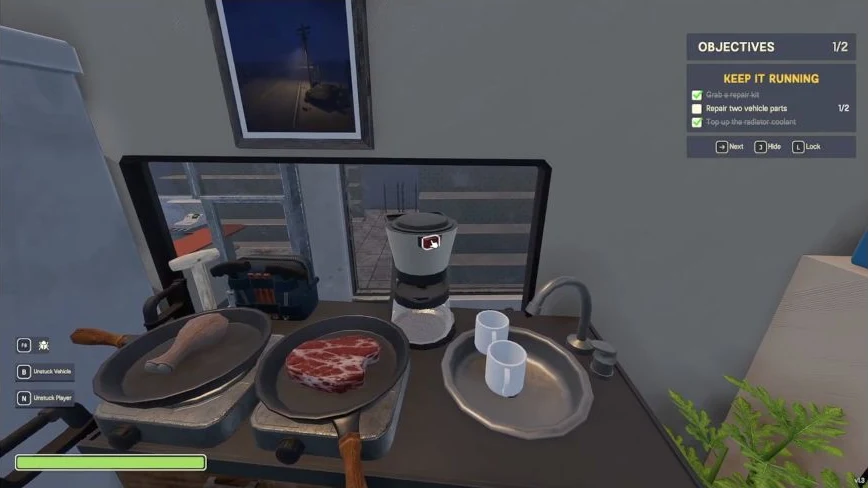
- Use placement mode to position the empty Coffee Pot on the circular base directly beneath the machine. Look for the valid green placement preview, then release it.
- Target the red switch on the front of the Coffee Machine and activate it.
- Aim at the pot and check its contents. The successful sample changes to Coffee and reads 1.00/1.00 LT; the liquid name is the useful completion check, not a fixed brewing timer.
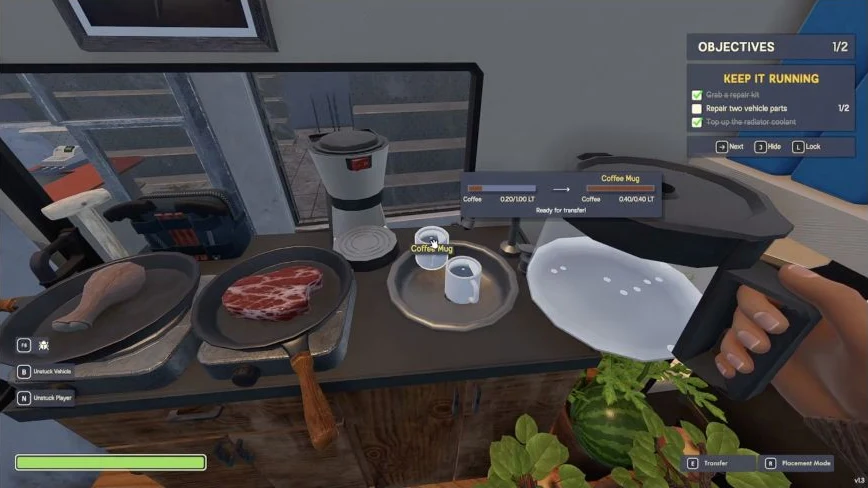
Hold the pot and transfer into the cup
Pick up the pot containing Coffee and aim at an empty cup. Check the transfer panel: the coffee-filled pot is the source and the cup is the destination. Use Transfer; E is the binding shown in the recording.
The cup’s fill amount rises as the pot’s remaining amount falls. Stop when you have the portion you want or the cup is full, and read the cup’s contents before using it. This closes the preparation task; no universal buff, stamina gain or duration is claimed.
If the machine or transfer does not work
| What you see | What to check next |
|---|---|
| No grounds or no useful brew result | Open the machine lid, hold Coffee and use Refill on the top. Recheck the pot placement after adding the ingredient. |
| Pot already contains water or is full | Transfer its water back into a compatible container, then put the empty pot on the machine’s base. Do not add more water to a full pot. |
| Pot will not sit correctly | Reposition it on the circular base until the placement preview is valid. Nearby on the counter is not the same as beneath the machine. |
| Source is empty while trying to fill a cup | Check what is in your hand. Holding the empty cup and aiming at the coffee pot is the reverse direction. Put the cup down, pick up the full pot and target the cup. |
| Your controls or results differ | Read your build’s interaction labels. The steps here demonstrate Demo v1.3; they do not establish later-version bugs or a save-reset fix. |